[JavaScript] Tips
May. 4, 2021Some tips to improve your developing experience with JavaScript.
console.log
Debugging your JavaScript code with console.log.
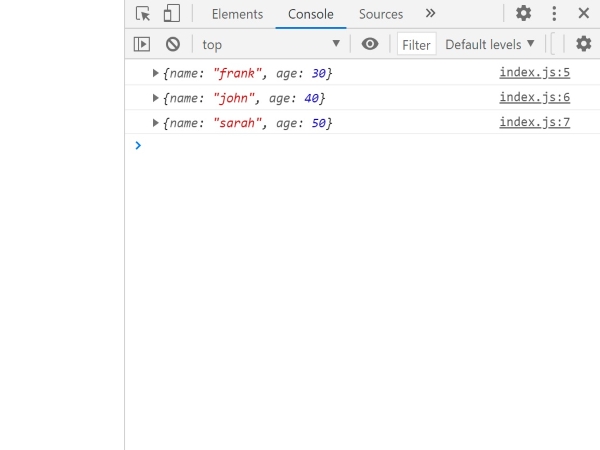
Here is an example of how console.log is normally used. It is difficult to know which value belongs to which variable.
We can make this better by using console.log({ foo, bar, baz });.
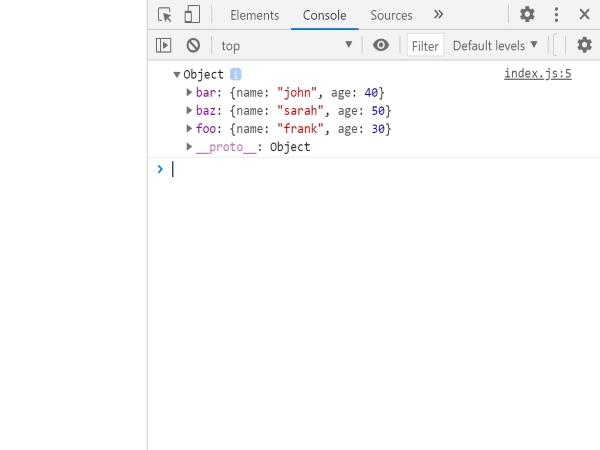
With this, we can see clearly which value belongs to which variable.
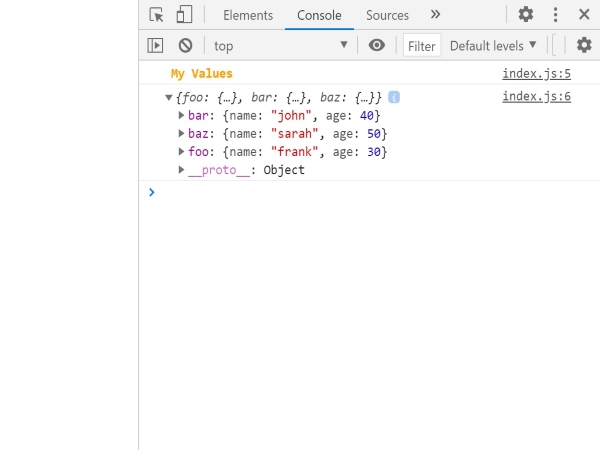
In the case where there are many log messages, it would be better if you can divide and highlight the log section you want to focus on. We can do this by adding styling to the log message. In the example below, we added color and font-weight as css styling to the log.
const foo = { name: "frank", age: 30 };
const bar = { name: "john", age: 40 };
const baz = { name: "sarah", age: 50 };

console.log("%c My Values", "color:orange; font-weight: bold;");
console.log({ foo, bar, baz });
And here is the result
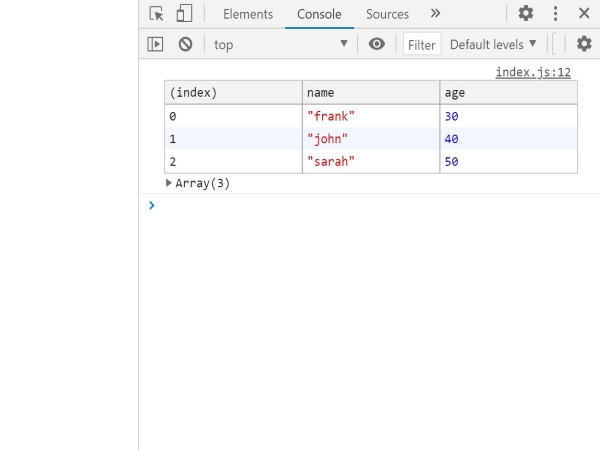
Finally, if the objects share the same structure as shown in our example, we could display them in a table console.table([foo, bar, baz]);.
Sometimes, you want to know where your console log originated from. By adding console.trace() to your function, it will show you where the executed funtion is in the file.
const deleteDatabase = () => console.trace("oops);

deleteDatabase();
deleteDatabase();
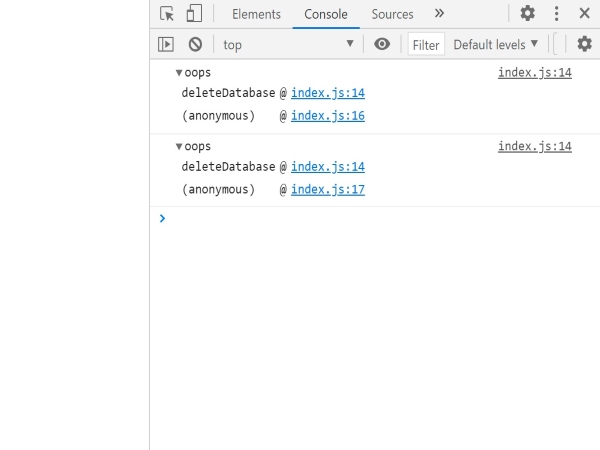
For example, we have deleteDatabase() function that we don’t want to call twice. By adding console.trace(), it will show you the position of deleteDatabase() and where the function is called in the js file.